Stop the automatic update to Windows 11
If you have a good reason to remain on Windows 10 (I do as a developer), this information is for you because Starting January 16, 2025, Microsoft has begun automatically downloading Windows 11 24H2 on fully-compatible PCs.
Sources:
What can I do about it?
I cannot promise this will work (I am still gathering information) but you can try to set a group policy on your Windows 10 machine forcing it to remain on Windows 10 22H2. I created a .reg file to import that does, you can download it below (inside a ZIP archive). For security reasons, I recommend looking at the contents of the .reg file in a text editor before merging it into your registry.
- Download: CancelWindows11Update.zip (ZIP archive)
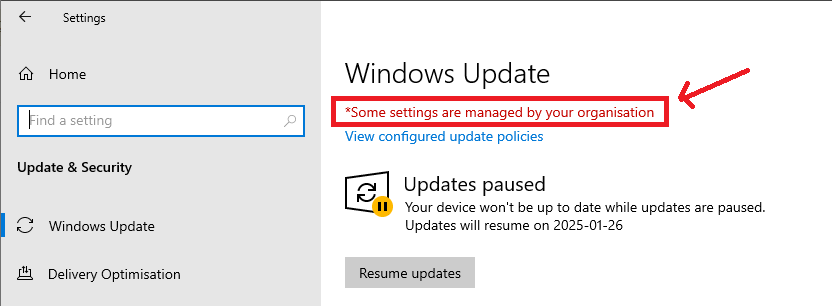
After merging the .reg file, reboot and check Windows Update. You should see the red text I've highlighted in the image below:
I want to undo the changes and install Windows 11
I haven't created a .reg file for this, but you can do it manually as follows:
- Open registry editor: Start → Run → regedit
- Navigate to the following path: HKEY_LOCAL_MACHINE\SOFTWARE\Policies\Microsoft\Windows\WindowsUpdate
- Delete the keys named TargetReleaseVersion and TargetReleaseVersionInfo